👋 Introduction
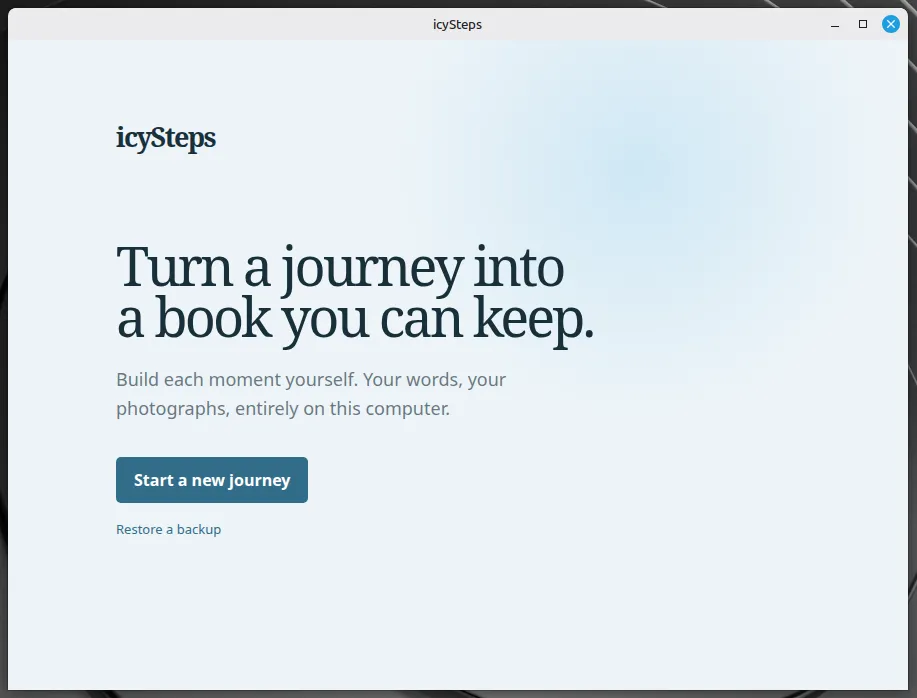
icySteps is a local-first desktop application for turning a recorded journey into a travel book you can keep, print, share, or archive.
icySteps is vibe-coded with OpenCode: GPT 5.6 - Terra 🤖
Create a journey, add chapters for its moments, write the story, attach photographs, and choose a cover photo and pastel theme. The live preview shows the book as you edit it, while the export tools create the finished version locally.
icySteps does not connect to travel services, maps, analytics, CDNs, or AI APIs. Your database and managed copies of photos stay on your computer.
The application is built with Electron 44 and packaged with electron-builder.
❗ Build Requirements
- Node.js 22.12 or newer
- npm is used for dependency management.
- Windows builds produce an NSIS installer.
- Linux builds produce AppImage and Debian packages on Linux.
npm install
npm run dev
Build packages with:
npm run package
npm run package:linux
✨ Features
- Multiple travel books - Keep separate journeys, each with its own title, subtitle, dates, cover photo, and theme.
- Chapter editor - Add a date, location, story, photographs, and optional captions for every moment.
- Drag-and-drop ordering - Reorder chapters in the sidebar and photographs within a chapter.
- Themes - Choose a light Azure, Lavender, Blush, or Apricot theme, or a dark Midnight, Evergreen, or Ember theme per journey. The theme applies to the editor, live preview, and exported book.
- Live book preview - See the cover and selected chapter as you work, including the chapter number, date, location, story, and photos.
- PDF export - Produce a print-ready A4 travel book locally.
- Portable HTML export - Create a standalone HTML book with a neighboring image directory and local full-screen photo viewer.
- ZIP export - Package the portable HTML book and its images together in one archive.
- Optimized exports - Auto-orient photos, limit the longest edge to 2000 pixels, and encode WebP images to keep PDF, HTML, and ZIP exports smaller.
- Export progress - Follow image optimization and file creation, then receive success, cancellation, or error feedback.
- Portable backups - Create timestamped
.icysteps-backuparchives containing the SQLite database and managed photos; restore them on another computer or after data loss. - Cross-platform restore - Restored managed photo paths are repaired for the current platform, supporting Windows and Linux moves.
🖼️ Screenshot
📝 Changes
v0.2.1
This release makes deletion confirmations easier to dismiss while editing a journey.
- Click anywhere outside a photo, chapter, or journey deletion confirmation to cancel it without deleting anything.
- Press Escape to dismiss an open deletion confirmation.

v0.2.0
This release adds dark journey themes and refines the editor, photo controls, and travel book preview.
- Added Midnight, Evergreen, and Ember themes, with matching dark pages in PDF, HTML, and ZIP exports.
- Matched the HTML photo viewer, editor scrollbars, text resize handle, and live preview shadow to the selected theme.
- Expanded the journey editor to use available window width and reduced empty space below short chapter texts.
- Improved photo thumbnails to show complete images and fit more photos per row. Moved **Remove Photo** beside the caption.
- Added in-editor confirmations for photo, chapter, and journey deletion, so Cancel no longer blocks the editor.

v0.1.1
This release improves the layout of exported travel books.
- Exported cover titles, chapter titles, and chapter text now use the full available page width.
📥 Downloads
Windows

Linux
💻 Source


🏛️ License
icySteps
Copyright (C) 2026 BrainByteZ

This program is free software: you can redistribute it and/or modify
it under the terms of the GNU General Public License as published by
the Free Software Foundation, either version 3 of the License.

This program is distributed in the hope that it will be useful,
but WITHOUT ANY WARRANTY; without even the implied warranty of
MERCHANTABILITY or FITNESS FOR A PARTICULAR PURPOSE.  See the
GNU General Public License for more details.

You should have received a copy of the GNU General Public License
along with this program.  If not, see https://www.gnu.org/licenses/.


Comments 💬